
Enterprise AI Readiness Assessment: 12 Questions to Answer Before You Start Any AI Project
Here's some advice you won't often hear from an AI agency: don't start your AI project yet.
Not until you've answered some important questions first.
We work with mid-market and enterprise companies on AI implementation, and the pattern we see most often isn't a technology problem. It's a readiness problem. Organizations jump into AI projects with real budgets and real ambition — and then spend six to twelve months discovering that the foundation wasn't there to support what they wanted to build.
The result? Delayed timelines, inflated costs, and leadership teams quietly blaming each other for why the thing didn't work.
This checklist exists to help you avoid that. It's a self-assessment you can run with your leadership team before you brief a single vendor — including us. If you come out the other side with clear, confident answers, you're genuinely ready. If you hit gaps, this gives you a map to close them first.
Either way, you'll start your AI project in a better position than most enterprises do.
Why So Many Enterprise AI Projects Fail Before They Deliver Anything
The failure statistics for enterprise AI are grim, and by now most people in technology leadership have heard them. The short version: the majority of enterprise AI initiatives don't reach production, and many of the ones that do fail to meet their original ROI targets.
The most common explanation is that the technology didn't work. That's almost never true. The models work fine. The failure almost always traces back to one of four things: bad data, broken integration, no organizational ownership, or a use case that was never specific enough to build toward.
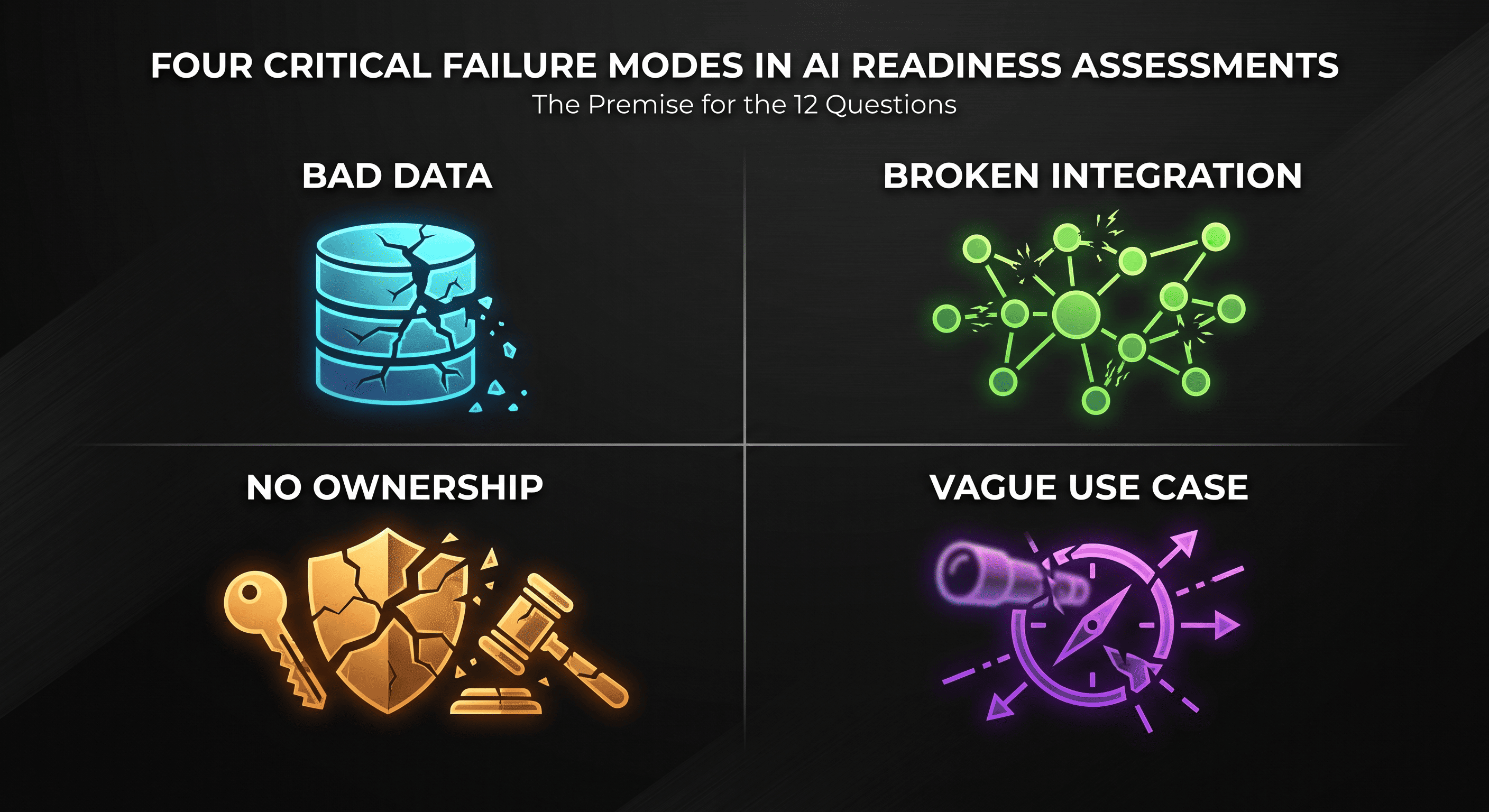
Every question in this checklist maps to one of those four root causes.
The 12 Questions: Work Through These Before Anything Else
Data Readiness
1. Do you actually have the data this project needs — and is it clean?
This sounds basic. It's where most projects fall apart.
For an AI system to work, it needs data that's complete, consistent, and current. Not data that exists somewhere in theory. Not data that's "pretty good." Data that's been audited, that reflects how your business actually operates today, and that covers the domain you're trying to automate.
Ask yourself: if we pulled the data we'd need for this project right now, would it be ready to use? Or would we spend the first three months cleaning and standardizing it?
2. Is your data accessible, or is it locked inside legacy systems?
Data that lives in a system with no export functionality, no API, or no reliable way to query it programmatically is data your AI can't use. This is more common than you'd think — especially in organizations running on older ERP or CRM systems that predate modern integration patterns.
3. Is it labeled and structured in a way an AI system can learn from?
Raw data and AI-ready data are different things. Documents in a shared drive, emails in an archive, PDFs on a server — these contain valuable information, but transforming them into something an AI can reliably use requires structured processing. Know what you have before you assume it's ready.
Integration Readiness
4. Can your systems expose what an AI layer needs?
An AI system doesn't live in isolation. It needs to read from your existing tools — your CRM, your ERP, your data warehouse, your operational systems — and in many cases write back to them too. If those systems don't have accessible APIs, or your IT environment has restrictions that make integration difficult, that's a significant constraint to solve before the project starts.
5. Do you have a clear picture of your current system landscape?
Not a theoretical architecture diagram. An actual inventory of what's live, what's integrated with what, and where the data flows today. If your team can't answer this without a two-week audit, that audit needs to happen before an AI vendor ever gets involved.
Governance Readiness
6. Who owns the AI system's decisions once it's live?
This question makes people uncomfortable, which is exactly why it matters. When an AI system makes a decision — routes a support ticket, flags a transaction, generates a recommendation — who is accountable for that output? What happens when it's wrong? Who reviews the audit trail?
If there's no clear answer, you're not ready. Not because the technology requires it, but because your organization will fracture the moment the first significant error occurs and nobody knows whose problem it is.
7. Do you have a process for handling errors and exceptions?
AI systems make mistakes. Designing for that from the start is the difference between a resilient system and a liability. Before you build anything, define what "wrong" looks like for your use case, how it gets flagged, who reviews it, and what the fallback process is.
8. Who audits the outputs, and how often?
Especially in regulated industries — financial services, healthcare, legal — this question has compliance implications, not just operational ones. But even outside regulated sectors, a system with no ongoing quality review will drift. Performance degrades, edge cases accumulate, and by the time someone notices, the damage is already done.
Organizational Readiness
9. Do you have genuine executive sponsorship?
Not a senior leader who agreed it sounds interesting. A named executive who is actively championing the initiative, has budget authority, and will make decisions when the project hits friction — which it will.
AI projects without real sponsorship die in the middle. They get deprioritized when something more urgent comes up. They stall when cross-functional alignment is needed. They lose momentum when the first obstacle appears.
10. Is there a named owner for this system post-launch?
One of the most common oversights in enterprise AI projects: the build team thinks about deployment as the finish line. It isn't. It's the starting line for a system that will need monitoring, updates, retraining, and ongoing iteration as your business evolves.
Before you start building, name the person or team who owns this after go-live. Define what their responsibilities are. Budget for their time. If you can't do this, you don't yet have an operational plan — you have a project plan, which is not the same thing.
Budget and Use Case Clarity
11. Are you budgeting for the full lifecycle — not just the build?
The build is typically 40–60% of the real cost of an AI system over its first three years. The rest is maintenance, model updates, integration changes as your tech stack evolves, and the iterative improvements that turn a v1 into something genuinely valuable.
Most enterprise AI budgets cover the build and quietly assume the rest will sort itself out. It doesn't. Go into your project with a lifecycle budget, not a project budget.
12. Can you describe your use case in one specific sentence?
This is the most revealing question on the list.
Not "we want to use AI to improve our operations." Not "we're looking to automate parts of our workflow." Something like: "We want to automatically extract key terms from incoming vendor contracts and flag any clause that deviates from our standard agreement, routing flagged contracts to the relevant legal reviewer."
If you can write that sentence, you have a buildable project. If you can't — if the use case is still vague, still being debated, still described in terms of technology rather than outcome — the project isn't ready to start. More discovery work is needed first.
How to Score Yourself
Go back through the 12 questions and mark each one as Green (confident yes), Yellow (partially there), or Red (not yet).
- 10–12 Green: You're genuinely ready. Brief vendors, start discovery, move forward.
- 7–9 Green: You're close. Address the Yellow areas in parallel with your vendor search so they don't become blockers mid-project.
- Fewer than 7 Green: Slow down. The gaps you have will surface as expensive problems during the build. It's better to close them now than halfway through a six-figure engagement.
If You're Not Ready Yet — What to Do in the Next 90 Days
Not being ready isn't a verdict. It's a starting point.
The most common gaps and how to close them quickly:
Data gaps: Commission a focused data audit. Understand exactly what you have, what's missing, and what cleaning is required. Many organizations discover their data is closer to ready than they assumed once it's actually been assessed.
Integration gaps: Map your current system APIs and identify where the connectors don't exist yet. Modern integration middleware (and increasingly, AI-powered integration tools) can bridge a lot of gaps that would have taken months to solve three years ago.
Governance gaps: Draft a one-page AI governance framework before the project starts. It doesn't need to be comprehensive — it just needs to answer who owns what, how errors get handled, and who reviews outputs. One hour of leadership alignment can prevent months of organizational friction.
Use case gaps: Run a half-day internal workshop with the relevant stakeholders to get from "we want to use AI" to a specific, measurable problem statement. If you need outside facilitation, that's a much cheaper engagement than starting a build project on a fuzzy brief.
One Last Thing
If you work through this checklist and realize you have more gaps than you expected — that's a good outcome, not a bad one. You've just avoided the version of this story that ends with a failed project, a frustrated leadership team, and a budget that's gone.
When you're ready to move forward, we're here to help — with the same straight-talking approach you just read.